
Pulse Libraries For FrontEnd
Include Pulse libraries
| <!-- neomia Pulse Libs -->
<script type="application/javascript" src="pulse-rec.js"></script>
<script type="application/javascript" src="pulse-biometricpass.js"></script>
<script type="application/javascript" src="pulse-animation.js"></script>
|
Pulse Rec
Capture the behavioral pattern for Pulse authentication.
You can download the library here : pulse-rec.min.js
1
2
3
4
5
6
7
8
9
10
11
12
13
14 | const pulseRec = PulseRec.getInstance();
pulseRec.startTrackingKeyboardElements(["input-id"]);
pulseRec.startTrackingView();
pulseRec.startTrackingMouse();
pulseRec.getPattern({
patternType: ['d', 'k', 'm', 'v'],
elementIds: ["input-id"],
hideChars: true,
syncWithField: true,
hideTimestamps: ['k', 'm', 'v']
});
|
Pulse Animation
You can visualize your keystroke dynamics, or create a loading animation with Pulse animation.
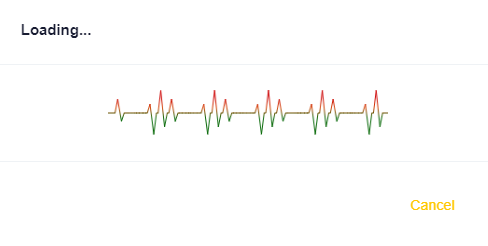
You can download the library here : pulse-animation.min.js
 1
 2
 3
 4
 5
 6
 7
 8
 9
10
11
12
13
14
15
16
17
18
19
20
21
22
23
24
25
26
27 | const pulseAnimationConfigLoading = {
textElementId: null,//"user_email",
canvasElementId: "pulse-animation-canvas-loading",
shape: "pulseLogo",
animWidth: 300,
animHeight: 100, //null,
numPoints: 25,
lineWidth: 1.,
border: null,//"1px solid green",//null,
borderRadius: "7px",//null, //"0 3px 0 0",
colors: ["#cc0000", "#cc0000", "#d24000", "#006400", "#006400"],
backgroundColor: null, //"blue",
removeElementBackgroundImages: true, // removes the background images on password field when field is not validated
fadeDelayMS: -1, // -1 (negative values) for no fade
fadeRate: 0.1,
fps: 15,
displayInit: "shape" // "none", "shape", "line"
};
const pulseAnimationLoading = new PulseAnimation(pulseAnimationConfigLoading);
// Start animaion
pulseAnimationLoading.startAnimation("fill", "pulseLogo");
// Stop animation
pulseAnimationLoading.stopAnimation();
|
Pulse BiometricPass
This tool collects the keystroke dynamics of typing with random words.
A pattern will be generated for authentication on neomia Pulse.
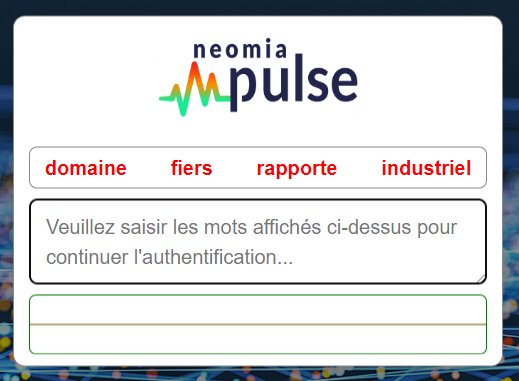
You can download the library here : pulse-biometricpass.min.js
Remarks
Pulse BiometricPass use automatically pulse-rec.js and pulse-animation.js for you, but you need to load these
libraries.
Modal mode
If you wish to use the component in popup mode, add the code below :
JS code
| const biometricPass = new PulseBiometricPass(); // Init the component
biometricPass.show(); // Display the component
/* Get the pattern when words are entered */
biometricPass.addEventListener('complete', (pattern) => {
console.log(pattern); // Your Pulse pattern
/* You can perform the 'user verify' procedure */
});
|
On page
If you want to use the component on your web page, add the code below :
HTML code
Indicate where the component is to be displayed.
| <div id="neomia-pulse-modal-id"></div>
|
JS code
Setting up your component.
1
2
3
4
5
6
7
8
9
10
11
12 | const biometricPass = new PulseBiometricPass(); // Init the component
biometricPass.bind(); // Disable popup mode. Adds component on your web page.
// biometricPass.hideLogo(); // No neomia Pulse logo
// biometricPass.borderless(); // No border around the component
biometricPass.setWidth(550); // Force the width size
biometricPass.show(); // Display the component
/* Get the pattern when words are entered */
biometricPass.addEventListener('complete', (pattern)=>{
console.log(pattern); // Your Pulse pattern
/* You can perform the 'user verify' procedure */
});
|
New words sequence
| biometricPass.refresh(); // update words
|