neomia Pulse Onboarding
1. Accessing the neomia Pulse Onboarding Page
After the neomia Pulse MFA has been enabled in your organization and for your account, you can proceed to usual authentication process. After completing the main authentication successfully, you will be asked to enroll to neomia Pulse in order to activate neomia Pulse MFA. After clicking you will be redirected to the neomia Pulse onboarding page.
Your browser should display the following page.
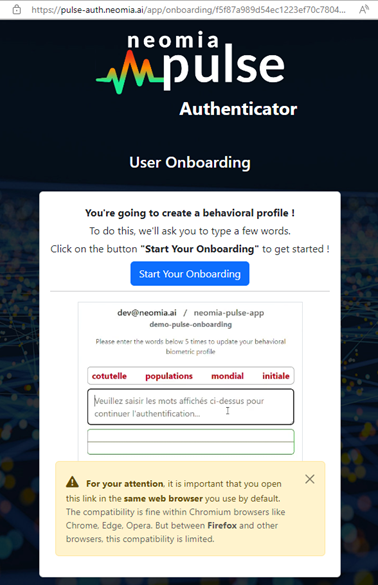
You can verify that the protocol and domain name start with the expected values shown in the image: https://pulse-auth.neomia.ai/app/onboarding/
Click the "Start Your Onboarding" button to start the enroll process.
2. User onboarding
The registration process involves typing a sequence of four words, which creates a reference biometric profile based on the user's typing dynamics. This process is repeated five times, and the overall progress is displayed through a progress bar at the bottom of the animation.
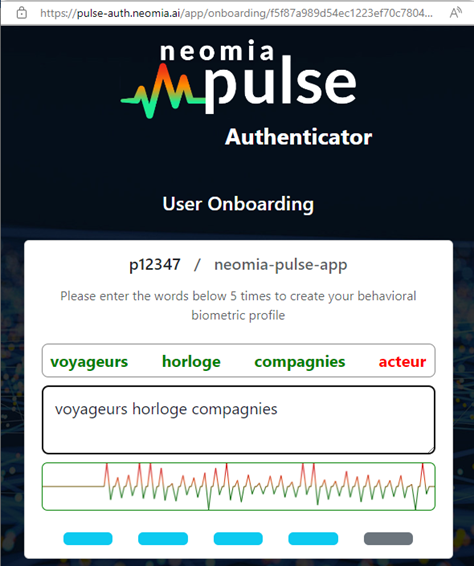
Once the initial sequence is completed, the tool attempts the first authentication of the user by analyzing their typing dynamics. If authentication is successful, the registration process is completed, and the user is redirected to the login page. In case of failure, the tool offers to strengthen the biometric profile and continue the registration process.
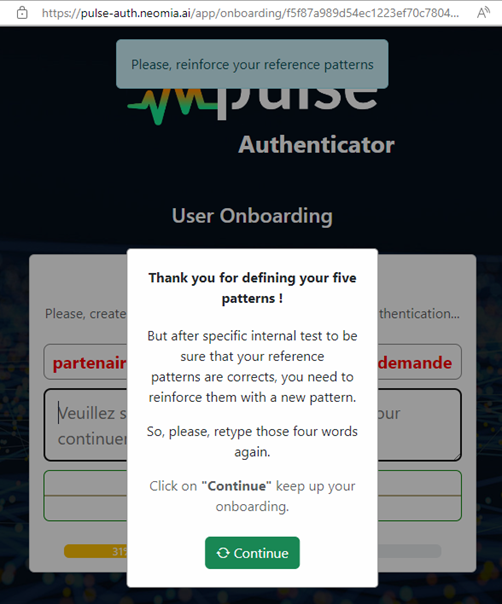
The progress bar displays the advancement of the onboarding process. This percentage will evolve based on the user's input and the quality of the first five recorded patterns.
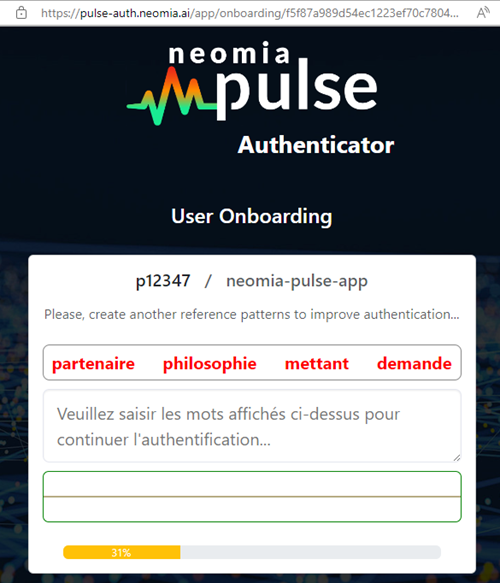
The onboarding process could continue the enrollement process until it detects a consistent typing pattern across the different typed sequences.
The onboarding process could continue beyond the first 5 patterns
At the end of the enrollement process, neomia Pulse is checking if the provided patterns are consistent enough to allow an authentication. It does that by trying to authenticate the last provided pattern against previously typed sequences. In some cases neomia Pulse can ask the user to continue the enrollement procedure till the provided patterns are considered to be consistent enough for the authentication process.
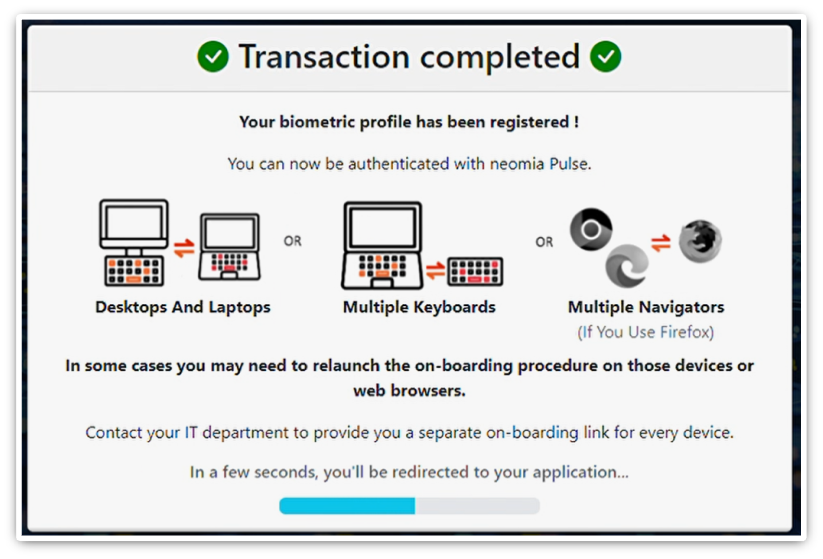
The onboarding process is completed when the message "Transaction completed" appears below.
Multiple onboarding necessity
It should be noted that in some cases, if the user is using different keyboards (e.g. desktops, laptops, docking stations) or browsers (e.g. Chrome-based, Firefox) suplementarry enrollements could be necessary.
After this screen is displayed, you will be redirected to the authentication page.