Management
Introduction
The Management section covers the administrative side of the dashboard account itself: the organizations it is linked to, the subscription and its usage, and the dashboard team.
The main pages of this section are:
- API Keys — the organizations linked to your dashboard account.
- Subscription — license details, account quotas and usage graphs.
- Team — dashboard members and their roles (owners only).
API Keys
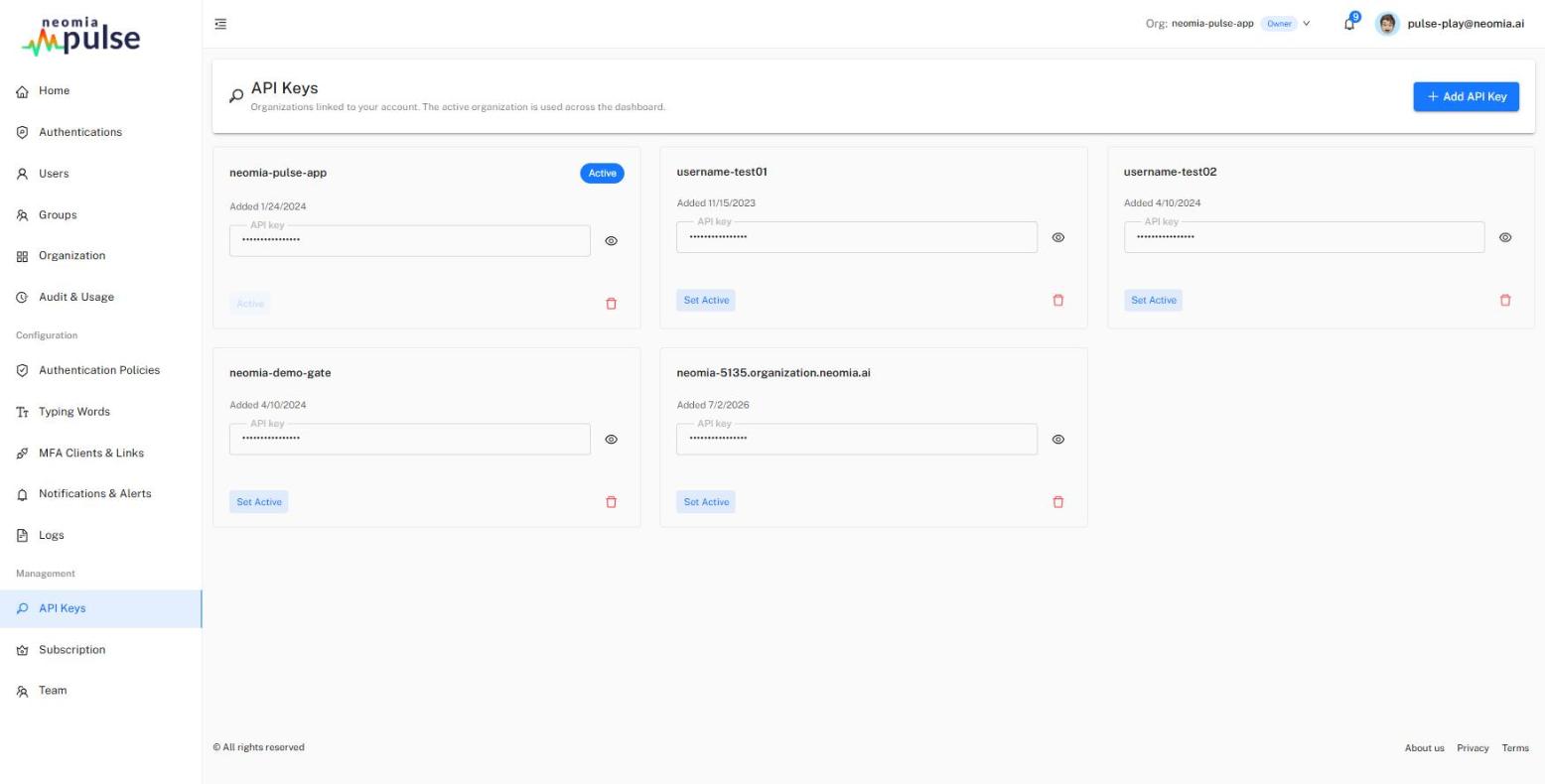
This page lists the organizations linked to your dashboard account. The active organization is the one used across the dashboard (it can also be switched from the top bar).
For each organization:
- the API key can be revealed and copied by roles that allow it (admin, owner). Revealing a key is audit-logged. Other roles see the key hidden.
- Set active switches the dashboard to that organization.
- The unlink button removes the organization from your account.
Add API key links a new organization: enter the organization username and its API key. The key is verified before the organization is linked and is never stored in the browser. The account performing the link is granted the Owner role on that organization.
Subscription
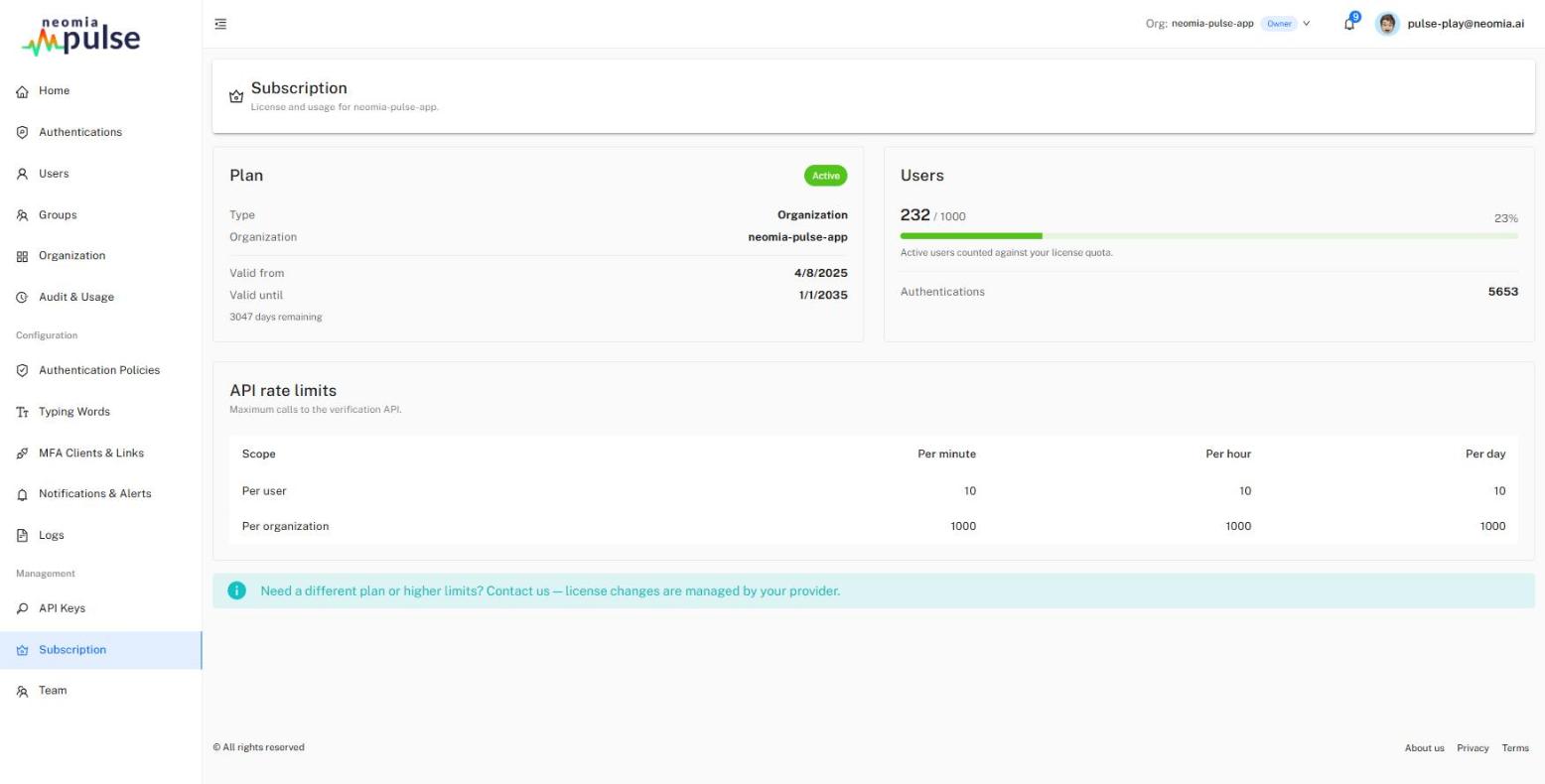
The Subscription page is read-only — license changes are managed by your provider.
Plan — the subscription type, organization, validity period and the days remaining.
Users and accounts — the licensed capacity and its current usage:
- Accounts — every account uses one Accounts unit, whatever its type;
- Shared accounts — generic (shared) accounts additionally use a Shared-accounts unit, and hold a limited number of members each. A license that grants no shared-account units does not allow shared accounts.
Counts come from a delete-proof usage ledger, so they reflect actual historical usage rather than the current database content.
Quotas are soft by default
Exceeding a licensed quota does not block your users: the numbers turn red, an Over quota chip appears, and you are invited to contact your provider to adjust the license. Strict enforcement (refusing new accounts at the cap) can be enabled on the platform on request.
API rate limits — the licensed per-user and per-organization request limits (per minute / hour / day).
Usage graphs:
- Account growth — the evolution of the number of accounts over time, with the licensed capacity drawn as a reference line;
- API calls per day — daily API request counts, with the peak hourly active users per day.
Both graphs accumulate from the feature's deployment on — earlier history is not backfilled.
Team
Visible to owners only.
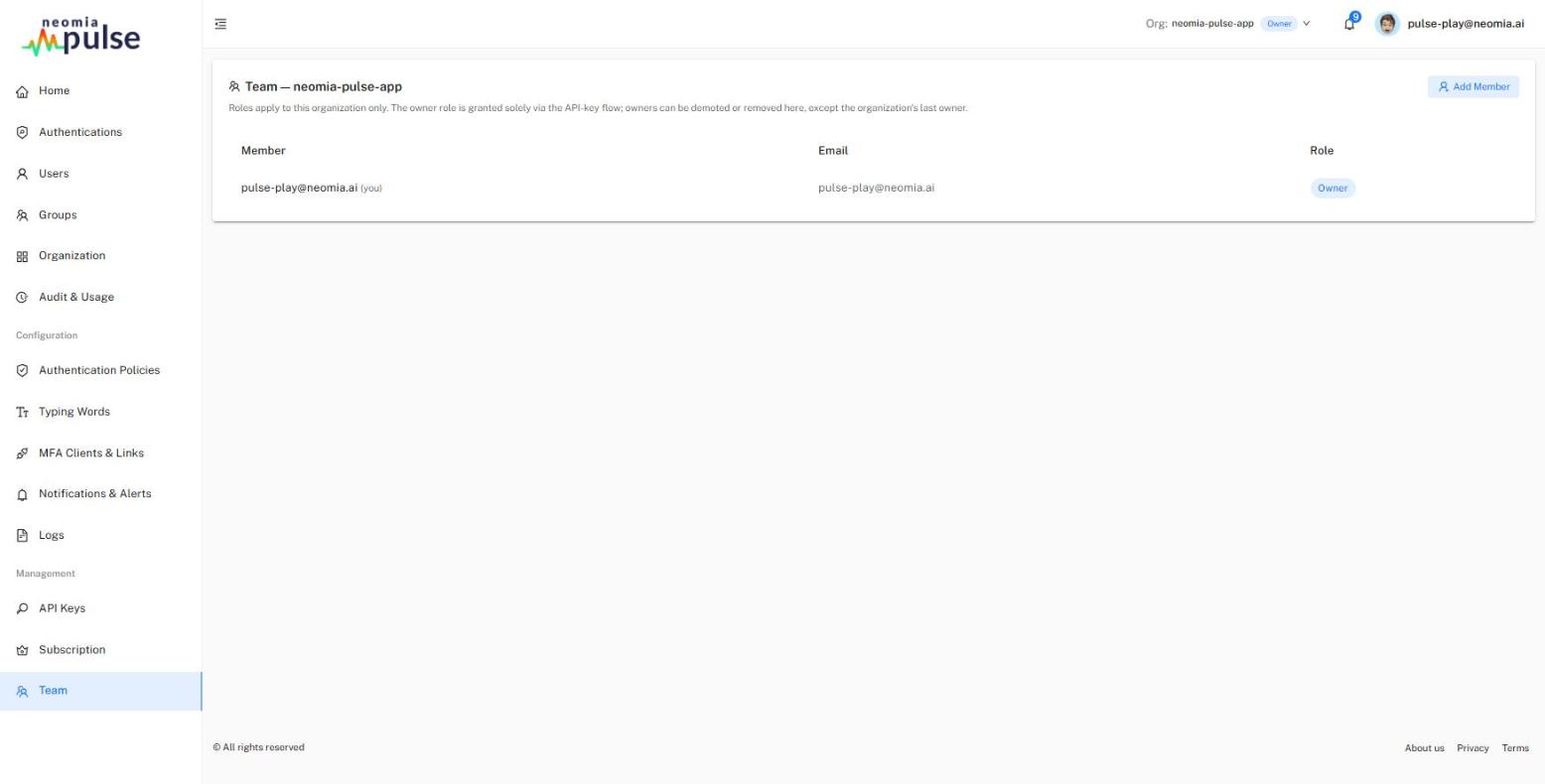
The Team page manages the dashboard members of the organization. Roles apply to this organization only — see the role table.
- Each member's role can be changed (analyst / admin). The owner role is granted solely via the API-key flow (API Keys); owners can be demoted or removed here, except the organization's last owner, whose role is locked.
- Add member invites a dashboard user by username (email) with a role. If they don't already have a dashboard login, one is created with a temporary password shown once for you to relay; the user should change it from their Profile after signing in.
- Remove member revokes their access to this organization (their login is not deleted).